Make calls easier to hear
Choose a ringtone, set call volume, and optionally ring at a chosen volume even when the phone has been set to silent or vibrate.
 One Tap Phone
Get the app
One Tap Phone
Get the app
SIMPLE CALLING FOR ANDROID
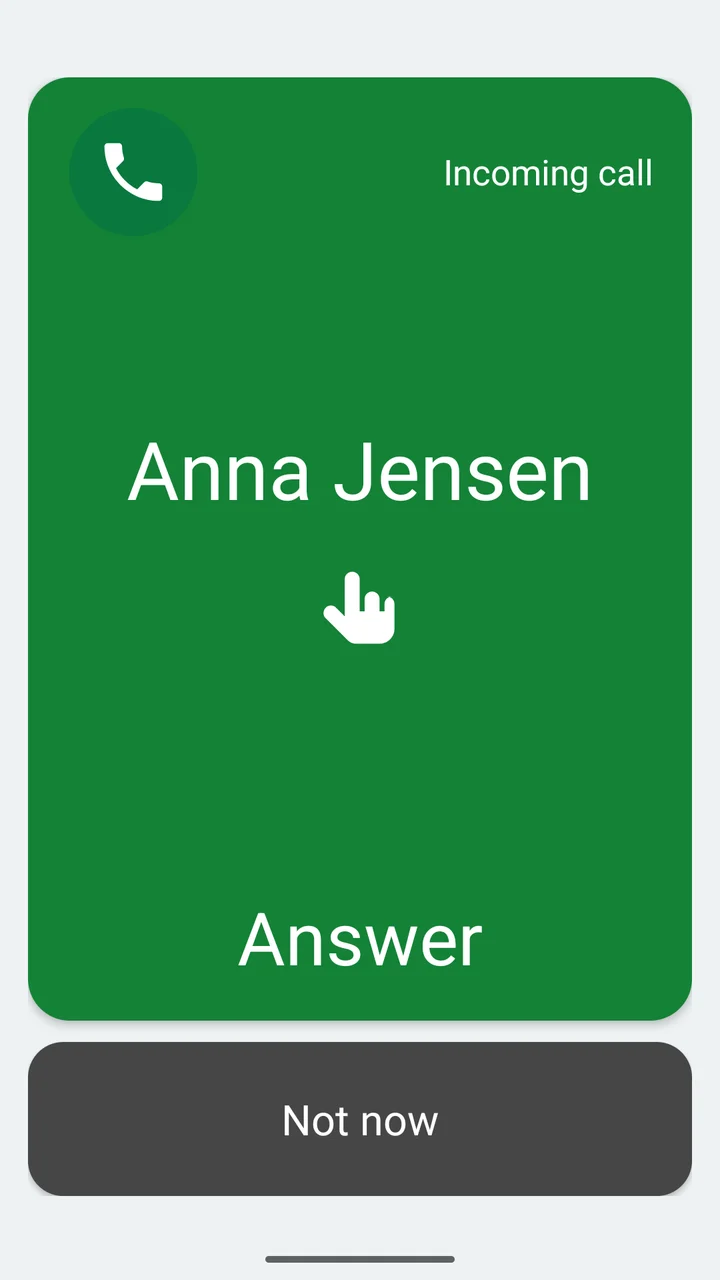
When the phone rings, one big green button makes answering easy.
One Tap Phone helps people who find a normal phone app difficult to use. Large, clear controls for everyday calls. Thoughtful settings for the person helping them.
Get it on Google PlayFree · No ads · Android 10 or later
LESS TO NAVIGATE. MORE CONNECTION.
You don’t need to find a small icon or remember a gesture. The caller’s name appears when available, and the green area answers the call with one touch.
A smaller charcoal-grey Not now button is there when you want to decline.
A clear caller name when the number matches a saved contact.
Almost the whole screen becomes the Answer button. An optional animated finger shows where to tap.
A caregiver can choose automatic speakerphone when no headset is in use.
FAMILIAR PEOPLE, WITHIN REACH
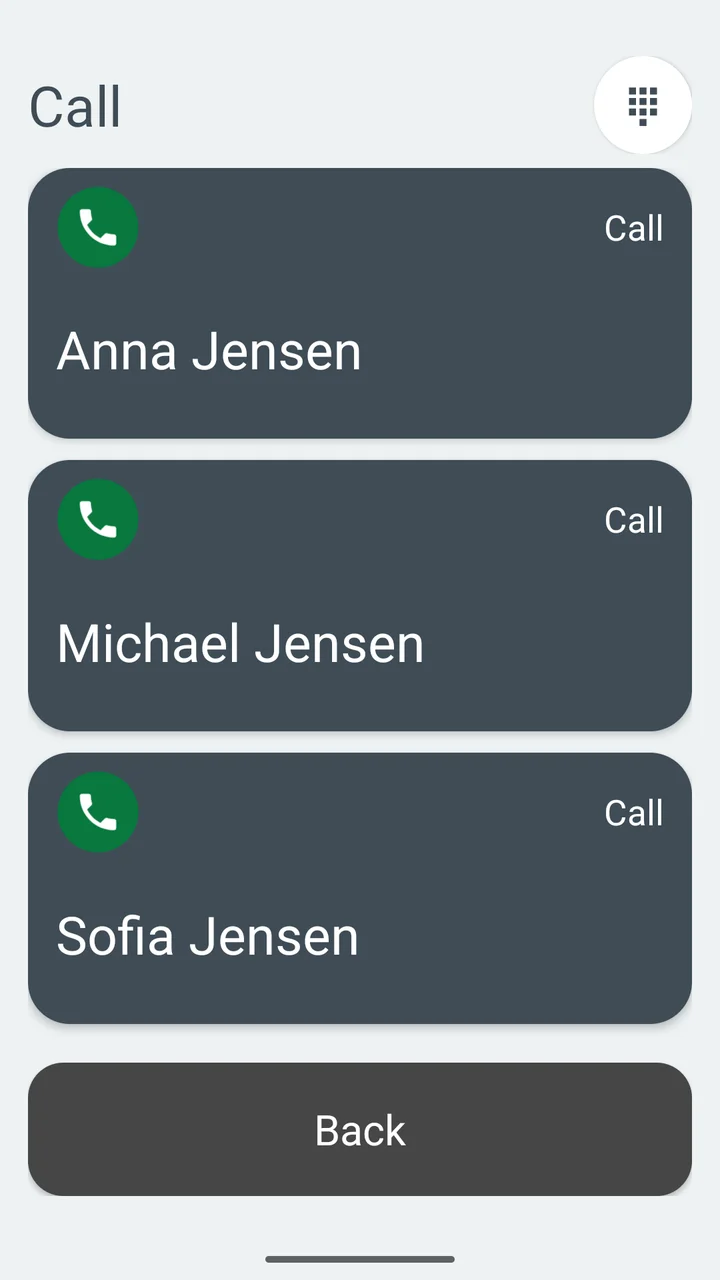
A caregiver can choose up to four contacts and put them in a useful order. Each person gets a large, easy-to-read call button.
For people who want more options, contact search, a keypad and Recent calls can also be available.
SET UP WITH CARE
A simpler Android dialer for older adults and anyone who finds conventional phone controls difficult. It may also be helpful for people living with dementia or other cognitive impairments, with support from a caregiver.
Choose a ringtone, set call volume, and optionally ring at a chosen volume even when the phone has been set to silent or vibrate.
Adjust contacts, dialing, speakerphone and call controls to suit the person using the phone. Light and dark themes follow the phone’s setting.
A four-digit PIN can protect caregiver settings from accidental changes, while everyday calling stays straightforward.
A SHORT GUIDE FOR CAREGIVERS
You’ll need a phone running Android 10 or later that can make ordinary telephone calls.
Download One Tap Phone from Google Play on the person’s phone.
Select One Tap Phone as the default Phone app when Android asks. Grant the requested call, contact and notification access.
Choose familiar contacts, adjust sound and speakerphone, and enable the controls the person needs. Add a settings PIN if useful.
Test incoming and outgoing calls on that phone. Practise answering and ending a call together before everyday use.
Keep the phone’s original system Phone app installed; Android may use it for emergency calls. One Tap Phone is a communication aid, not an emergency or medical service.
PRIVACY, KEPT SIMPLE
No ads, analytics, tracking or user accounts. Contacts, call lists and settings stay on the device. The app doesn’t send contacts or call information to the developer.
Read the app’s privacy policyALL CURRENT FEATURES
Free.
No trial expiry, paid upgrade or subscription is required.
It’s for anyone who wants a simpler way to make and answer phone calls. The large controls may be especially helpful for older adults and people living with cognitive impairments. A caregiver can configure the app to match the person’s needs.
One Tap Phone requires Android 10 or later and a phone capable of telephone calls. It handles ordinary mobile phone calls when selected as the default Phone app. It is not an iPhone app.
No. Your normal Android launcher stays in place. One Tap Phone is selected as the default Phone app during setup.
Yes. A caregiver can choose contacts and enable optional controls such as Recent calls, contact search, number dialing and the in-call keypad. Settings can be protected with a four-digit PIN.
Yes. All current features, including Recent calls, are free. No trial expiry, paid upgrade or subscription is required. Your mobile provider’s usual call charges still apply.
No. One Tap Phone does not record call audio or upload contacts or call information to the developer. Contacts, call lists and settings stay on the device.
ONE TAP PHONE
Start with a big green Answer button.